

Microsoft 365 Backup
Your emails and files recoverable at any time
Back up mailboxes, OneDrive, SharePoint and Teams to the Swiss cloud from Netstream.
independent of Microsoft
A second copy of your data outside Microsoft 365.
up to six backups per day
In an emergency, at most a few hours are missing.
no installation
The backup runs directly from cloud to cloud.
automatically complete
New users, groups, sites and teams are backed up automatically.
scalable at any time
Adjust seats and storage in the Cloud Center.
stored in Switzerland
Your backups are stored in the Swiss cloud from Netstream.


Technology by
Mailboxes including folders
Complete OneDrive structure
SharePoint sites
Microsoft Teams
OneNote
Targeted recovery
Easy Setup
9 reasons for Microsoft 365 Backup

Shared responsibility
Accidental deletion
Overwritten data
Intentional deletion
Phishing and ransomware
Departing employees
Limited retention
Errors during migration or synchronisation
Cancelled subscription
Pricing
Even more security
Extend the protection of your Microsoft 365 environment in the same console.
You manage EDR, Email Security and Data Loss Prevention in the same console as the backup and add them when needed.

FAQ
Frequently asked questions
What is backed up?
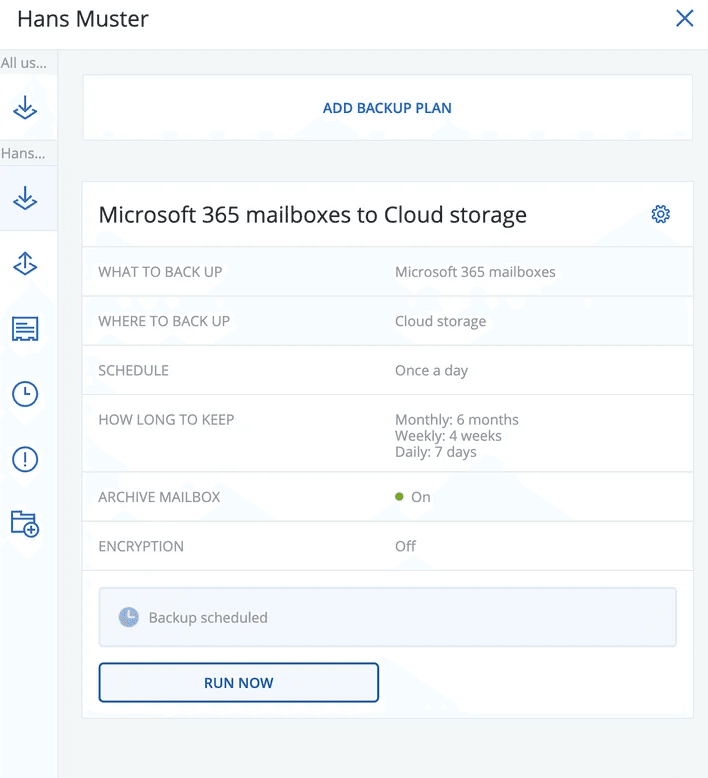
Mailboxes including shared mailboxes and group mailboxes, OneDrive, SharePoint sites and Teams; OneNote is included. The backup runs cloud-to-cloud without local installation, up to six times per day. New users, groups, sites and teams are included automatically.
Docs: Security Services service descriptionWhere is the backup data stored?
What counts as a seat?
Licensing is per seat; the identifier is the email address. Mailbox, OneDrive, public folder and access to backed-up SharePoint or Teams sites count; a user with several services needs one seat. Free of charge are, among others, shared mailboxes, rooms and equipment as well as external users.
Docs: Microsoft 365 Backup licensingHow do I set up the backup?
You sign in via the activation email, add “Microsoft 365 Business” in the console and sign in with an admin account. You then define backup plans for users, groups or sites; only then are backups made. With Easy Setup, an engineer sets up the backup together with you (approx. 30 minutes).
Docs: Quickstart M365 BackupWhy do I have to grant Microsoft Graph permissions?
Microsoft is switching off Exchange Web Services. A Global Administrator of your tenant must therefore grant new Microsoft Graph permissions once; otherwise mailbox backups will fail. Netstream cannot do this on your behalf.
Docs: Granting Microsoft Graph permissionsHow do I order additional seats or more storage?
In the Netstream Cloud Center under “Manage” and “Upgrade/downgrade options”. Upgrades are charged pro rata for the remaining term; downgrades are subject to the notice periods.
Docs: Security Service upgrade & downgradeCan I try the backup?
Yes, you can try the Security Services free of charge for 14 days.
Request a trialWhat availability applies?
Unless otherwise agreed, our IT and cloud services have an availability of 99.9 % per calendar year. We report incidents on status.netstream.ch.
Docs: Availability of our servicesWhat happens to my data when the contract ends?
Your data belongs to you. Back it up or export it before the contract ends. We then delete it within 30 days and confirm the deletion on request.
Docs: Data return and deletion at the end of the contractWho is responsible for what?
Netstream operates the infrastructure, data center and platform. You are responsible for the configuration, your users and backing up your data.
Docs: Shared responsibility