

Email Security
Intercept dangerous emails before they reach the mailbox
Email Security checks emails for spam, phishing, fraud and malware before they reach your mailbox in Microsoft 365, Google Workspace or Open-Xchange.
check everything in real time
Check every email, file and URL before delivery.
detect unknown attacks
Track down zero-day and APT attacks with CPU-level analysis.
find what is hidden
Uncover malicious content in embedded files and links.
ready quickly
Cloud-based and without additional configuration.
experts at your side
Direct access to analysts in the event of incidents.
without delay
A verdict in seconds instead of waiting as with a sandbox.


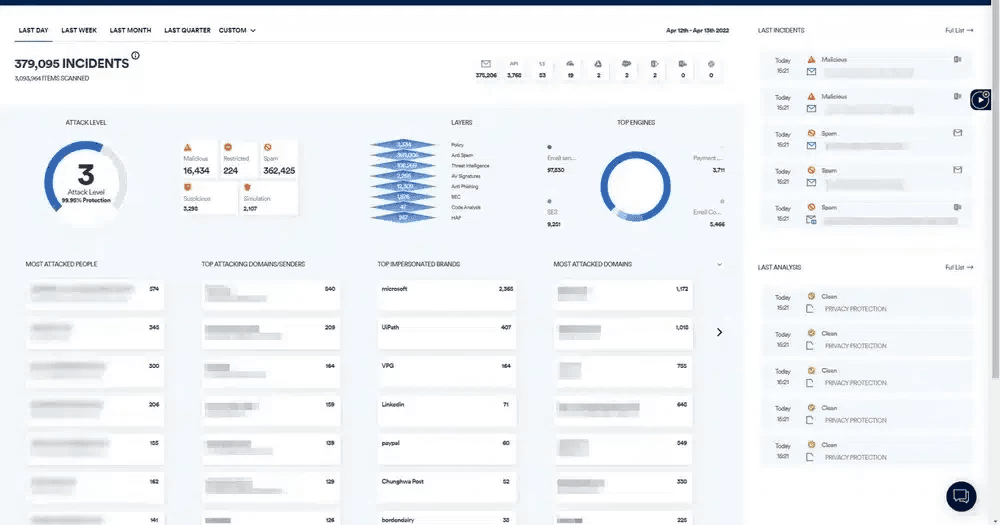
Technology by
Spam filter
Phishing protection
Spoofing protection
Evasion protection
Dynamic detection
Signature-based analysis and threat intelligence
Incident Response Service
Notices for staff
Reports and forensics
Microsoft 365
An additional layer of protection for Microsoft 365.
Email Security checks incoming emails in addition to the built-in protection of Microsoft 365. The same applies to Google Workspace and Open-Xchange.


Threats
Every email is checked by several layers.
Malware and ransomware
Viruses, trojans and ransomware usually arrive via attachments and links.
- Evasion protection
- Phishing protection
- Threat intelligence
- Dynamic detection
Phishing
Forged senders, links and files aim to obtain login details and sensitive information.
- Phishing protection
- Evasion protection
- Threat intelligence
Business Email Compromise
Attackers pose as a known person, often with text only and no attachment.
- Spoofing protection
- Evasion protection
Zero-day and APT attacks
The attacks exploit vulnerabilities that are not yet known.
- Dynamic detection
Evasion techniques
Malicious code hides in ordinary files or in links that only become active when opened.
- Evasion protection
Account takeovers
Attackers send phishing from a genuine account or trigger payments.
- Phishing protection
- Incident Response Service
Prices
FAQ
Frequently asked questions
Which mailboxes are protected?
Mailboxes in Microsoft 365, Google Workspace and Open-Xchange.
Docs: Security Services: service descriptionDo I need to install anything?
What is Email Security based on?
The technical basis is Acronis Advanced Email Security. It runs on the same Acronis Cyber Platform as Backup and EDR and is managed in the same console.
Docs: Security Services: service descriptionWhat happens to a suspicious email?
How is Email Security licensed?
How do I change the number of licences?
In the Netstream Cloud Center, select “Manage” for the service and then “Upgrade/downgrade options”. We charge upgrades pro rata for the current contract term; for downgrades, the agreed notice periods apply.
Docs: Security Service: upgrade & downgrade