


Data Loss Prevention
Control which data leaves the company
DLP detects sensitive data on your devices and defines the routes by which it may leave the company, such as USB, email or uploads.
control devices
Only allow devices and data channels that are really needed, such as USB.
check emails
Rules for email and webmail, including text in images.
keep an eye on uploads
Check outgoing messages, attachments and uploads.
include messengers
Monitor messaging tools and social media.
automatic policies
Detect sensitive data flows and create suitable policies.
respond quickly
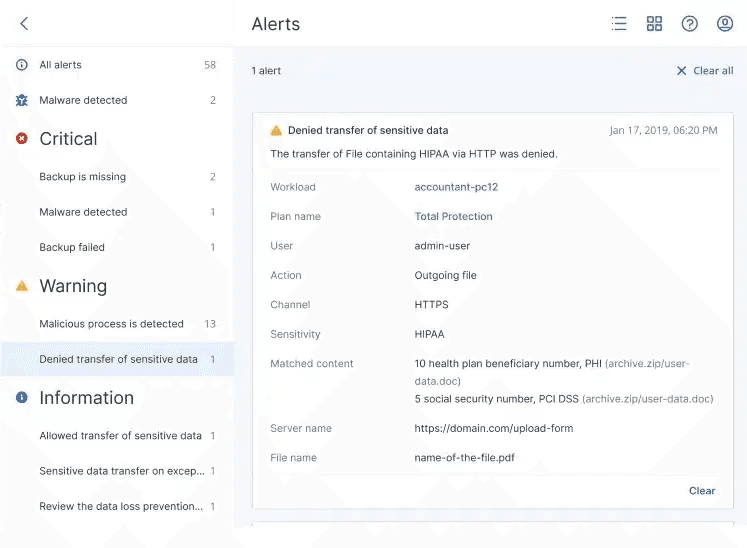
Central logs and immediate alerts.


Technology by
Device control
Network control
Automatic policies
Alerts and logs
Data channels
More than 70 data channels under control.
- Removable media
- Printers
- Network drives
- Clipboard
- Webmail
- Messengers
- File sharing
- Social networks
- and many more
Prices
FAQ
Frequently asked questions
Where does DLP work?
What is DLP based on?
The technical basis is Acronis Advanced DLP on the Acronis Cyber Platform. You set up backup, EDR and DLP in the same console.
Docs: Security Services: service descriptionDoes DLP block from day one?
How is DLP licensed?
How do I change the number of licences?
In the Netstream Cloud Center, select “Manage” for the service and then “Upgrade/downgrade options”. We charge upgrades pro rata for the current contract term; for downgrades, the agreed notice periods apply.
Docs: Security Service: upgrade & downgrade